Thursday, 16 April 2015

Double Exposure - Digital

As another double exposure experiment, I decided to do some based purely around Digital Photography and Editing.
I used my DSLR to take the photos, using many different focal ranges to experiment with.
Most of the pieces use one photo of something decaying overlaid with a photo of something normal.


Alina Szapocznikow Chewing Gum Inspired Photography - Out Of My Mouth

After finding the photographer Alina Szapocznikow and her chewing gum inspired photography called "Out Of My Mouth", I decided to try an experiment of my own using digital photography and editing. 
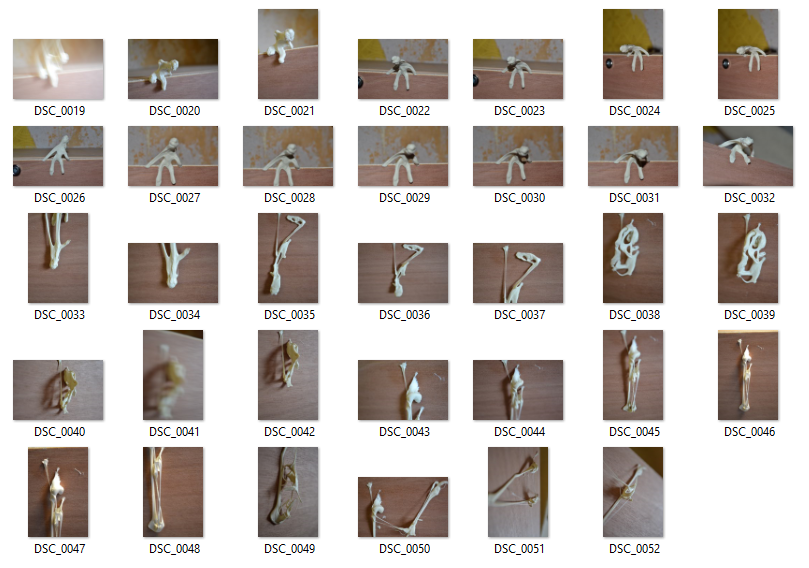
In my work I aimed for the same feel as Alina by modeling the chewing gum into the shape of people, and also decided to completely destroy the chewing gum and spread it around. 
Once I had taken the photos, I opened them into Photoshop, Desaturated them and played around with the levels in order to get high contrasting light and dark tones.
The whole experiment was mainly based around using a shallow depth of field. 


Contact Sheet.

Thursday, 26 March 2015

Double Exposure - Diana Mini Photoshop Edit

My results from using the Diana Mini have gotten me inspired to do more double exposure experiments, so I thought I'd work on some of the photos I took with the Diana Mini that either weren't double exposure or just didn't work, and use them to create a mixture of analog and digital double exposure.
I took the photos into Photoshop, where I altered the levels and used overlay effects to produce the double exposure effect. Here are the results I ended up with.


Double exposure - Using The Diana Mini

As an experiment to convey decay, I went out and used a Diana Mini camera to take some double exposure photos and some normal photos too. I used black and white film for this, as there would be a much wider range of contrast between light and dark, and it gave my photos a vintage feel, making them look older. I will take some of the experiments that either didn't work or are just normal photos into Photoshop and experiment around with them to try and make them look double exposed.
Here are what I managed to take.